How to create a Facebook fundraiser in 6 steps
With Minnesota’s Give to the Max Day in mid-November, you might be considering ways to support your favorite nonprofit organization. One method is to create and start a Facebook Fundraiser, which is easy, has no fees attached (other than credit card processing fees charged by your credit card company – Facebook takes no fees), and can bring in new donors to an organization.
Here are six simple steps to create and start a Facebook Fundraiser for Avivo (or another organization you support):
1) Open Facebook on your computer’s web browser and click/tap the “Fundraisers” button the left hand side, or click here:

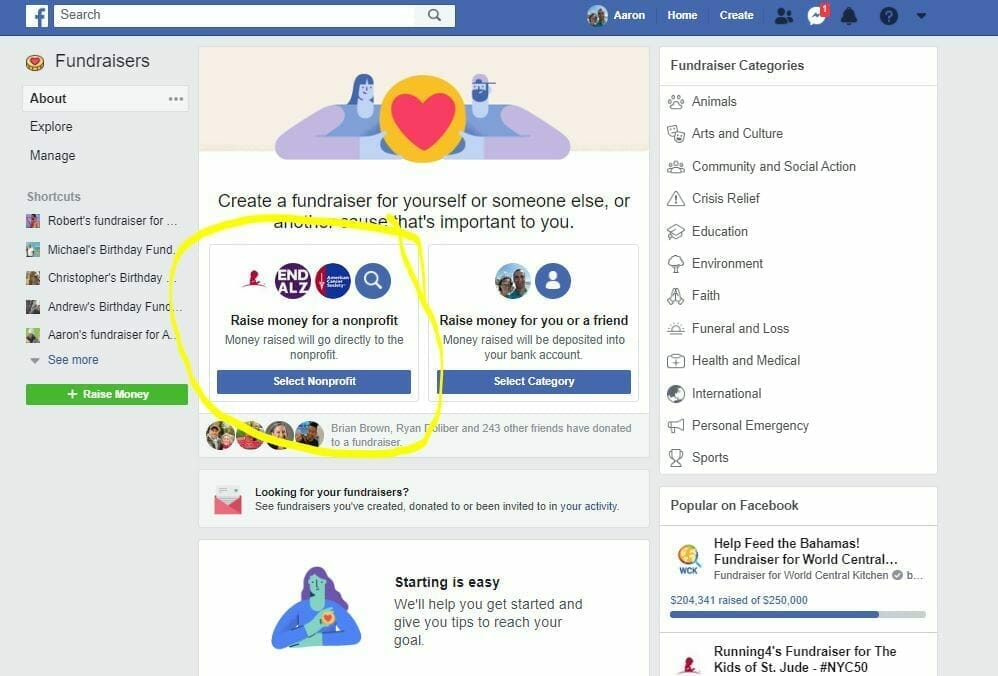
2) Locate the “Raise money for a cause you care about” box in the middle-left of your page, and click/tap the “Select Nonprofit” link:
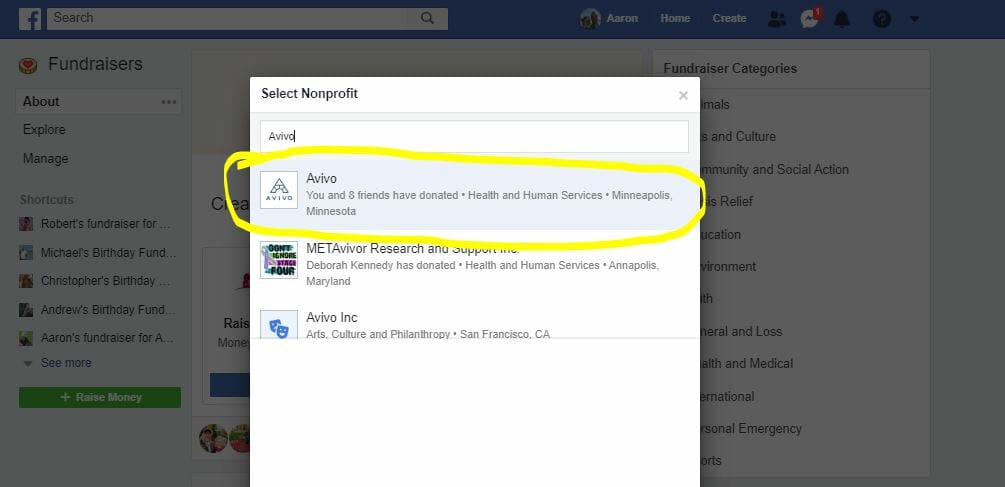
3) Search for Avivo, or your favorite nonprofit, and click on their name:
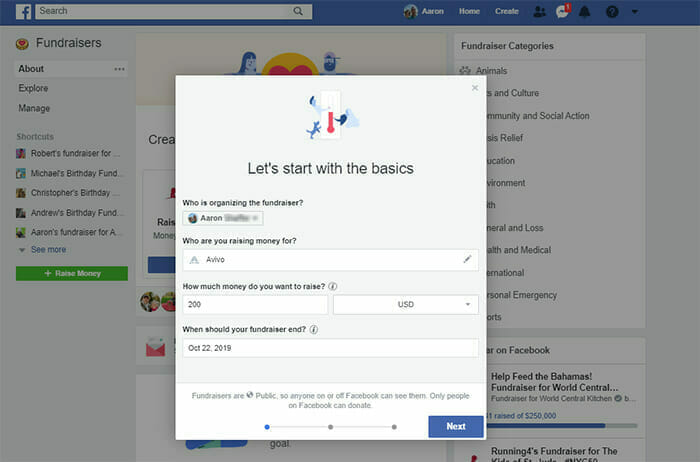
4) Verify that you’ve selected the correct nonprofit to support with your fundraiser, then select your goals and when your fundraiser should end:
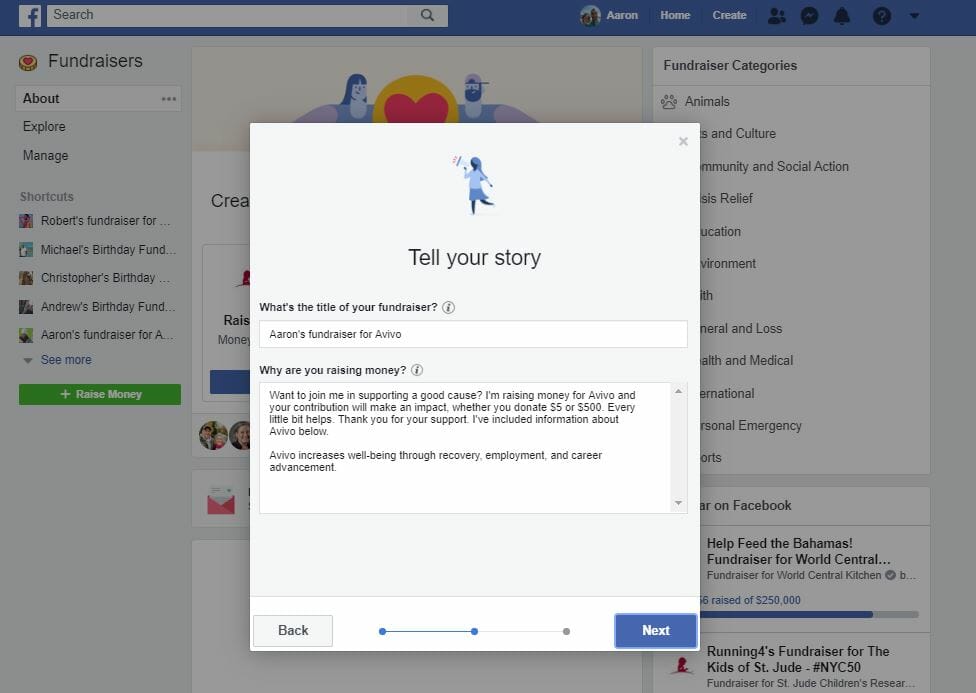
5) After that, you’ll create a description of the nonprofit – why you believe they should be supported. Facebook auto fills this box, but you can also customize with your personal connection to a nonprofit:
6) Finally, you’ll choose an image for your fundraiser. After you’re happy with either the default image, or have uploaded your own, you’ll click the “Create” button and your fundraiser will start!

Thanks for checking in and learning how to support your favorite nonprofit by hosting a fee-free Facebook Fundraiser! Please feel free to contact us if you have any questions as you set up and start Facebook Fundraiser.
Avivo serves more than 11,000 individuals each year; helping them achieve recovery, find housing stability, and achieve employment and economic advancement. Serving Minnesota since 1960, we specialize in helping individuals and families who face complex barriers – poverty, homelessness, unemployment, chemical addiction or mental health concerns – achieve recovery and economic stability. Avivo’s holistic approach to providing chemical and mental health services, career education, and employment services embraces each person’s unique journey. Ultimately, our paired services lay a foundation of health, and social and economic wellness, that transforms lives. Support Avivo now by making a donation.